Carry the App in Your Pocket
Install MorphID directly on your device for instant access, offline support, and a seamless native-app experience — no app store required.
Follow the instructions below to install ↓

WHY INSTALL THE APP?
Everything you need, right on your home screen.
Lightning Fast
Launches instantly from your home screen with native-level performance.
Works Offline
Core features stay available even without an internet connection.
Push Notifications
Get real-time alerts and never miss an important update.
Secure & Private
Your data is encrypted and never leaves your device unnecessarily.
Always Up-to-Date
Automatic updates ensure you always have the latest features.
Home Screen Icon
Access the app with one tap — just like a native application.
INSTALLATION GUIDE
Choose your platform and follow the step-by-step instructions.
Step 1
Open in Safari
Make sure you're viewing this website in the Safari browser — not Chrome, Firefox, or an in-app browser.
Step 2
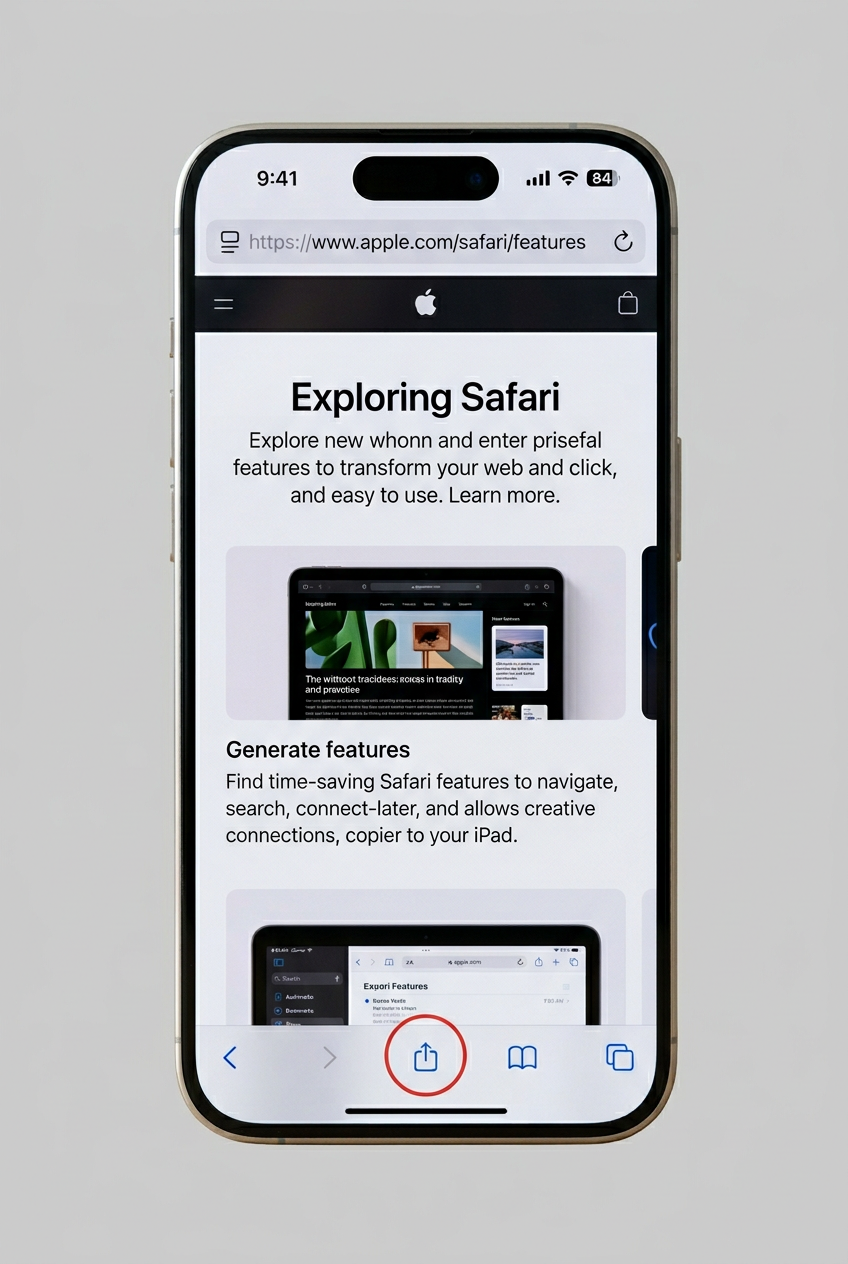
Tap the Share Button
Tap the share icon (square with an upward arrow) at the bottom of the Safari toolbar.
Step 3
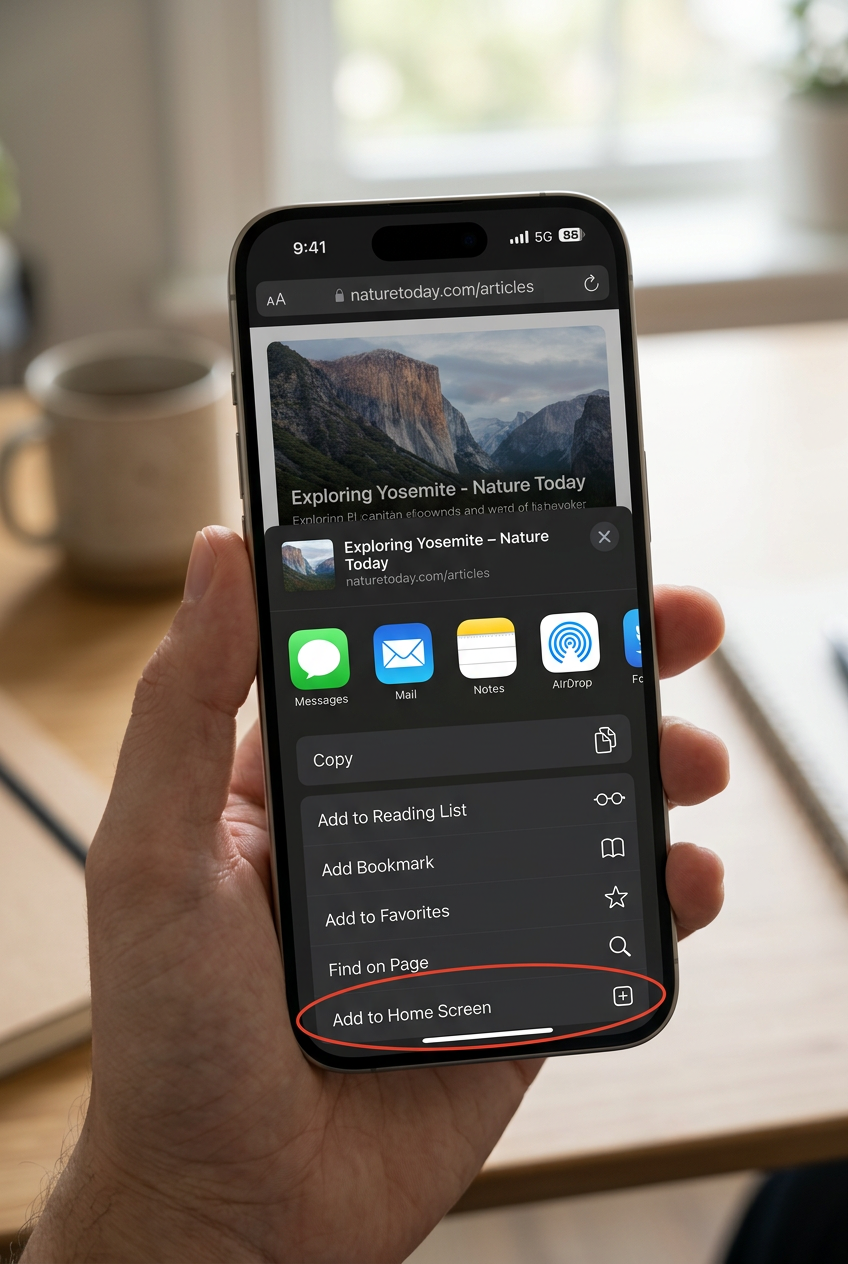
Tap "Add to Home Screen"
Scroll through the share sheet and tap "Add to Home Screen". You can rename the app if you like.
Step 4
Tap "Add"
Tap "Add" in the top-right corner. The app icon will appear on your home screen.
Important
On iPhone and iPad, you must use Safari. Other browsers do not support installing PWAs on iOS.
READY TO GO?
Install MorphID and take your investigations anywhere.
Scroll up for platform-specific install instructions.